
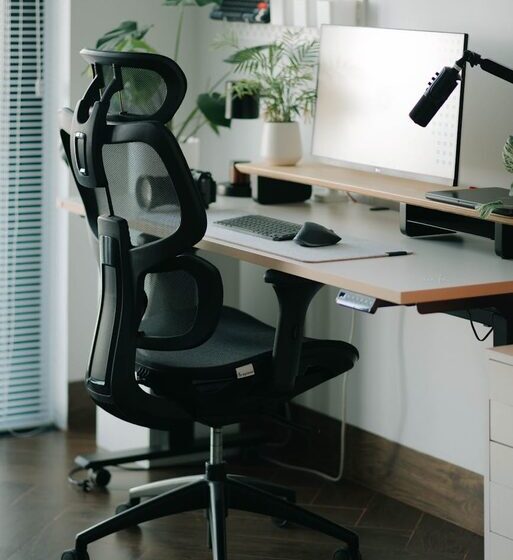

Creating a home workspace that is both comfortable and productive can make a significant difference to your daily work experience. Whether you work remotely full-time or occasionally, having a dedicated area that supports focus and well-being is essential. In this post, we’ll share practical tips to help you set up a home workspace that suits your needs and encourages productivity.
Choose the Right Location
Finding the best spot for your workspace is the first step. Ideally, select a quiet area with minimal distractions, good natural light, and enough room for your equipment.
– Natural Light: Position your desk near a window if possible. Natural light helps reduce eye strain and lifts your mood.
– Noise Levels: If you share your home with others, try to find a space away from high-traffic areas to avoid interruptions.
– Space Requirements: Make sure you have enough room for your desk, chair, and other work essentials without feeling cramped.
Invest in an Ergonomic Chair
Spending hours sitting makes a comfortable chair crucial. An ergonomic chair supports your posture and reduces the risk of back and neck pain.
– Look for adjustable features such as seat height, backrest angle, and armrests.
– Choose a chair with good lumbar support.
– Consider the chair’s padding and breathable fabric.
Set Up Your Desk for Efficiency
Your desk should be organised to keep important items within easy reach, reducing unnecessary movement and distractions.
– Use desk organisers or trays to keep stationery tidy.
– Keep your computer monitor at eye level to avoid neck strain.
– Allocate space for writing or reviewing documents.
– Ensure there is enough room for a keyboard and mouse with comfortable positioning.
Manage Lighting Wisely
Good lighting is key to reducing eye fatigue and maintaining alertness.
– Use a combination of natural and artificial lighting.
– Avoid glare by positioning your monitor perpendicular to windows.
– A quality desk lamp with adjustable brightness can help during darker hours.
Keep Your Workspace Clutter-Free
A neat space promotes clear thinking and helps you concentrate better.
– Declutter regularly and only keep essentials on your desk.
– Use storage boxes or drawers to keep lesser-used items organised.
– Consider cable management solutions to prevent wires from tangling.
Personalise Your Space Thoughtfully
Adding personal touches can make your workspace more inviting without overwhelming the area.
– Include some greenery or small plants to freshen up the environment.
– Hang artwork or motivational quotes that inspire you.
– Use colours and accessories that make you feel calm and focused.
Establish Boundaries
Working from home often blurs the line between personal and professional life. Setting boundaries helps maintain a healthy work-life balance.
– Inform household members about your working hours.
– Avoid using your work area for leisure activities.
– Take regular breaks to move and rest your eyes.
Utilise Technology to Stay Organised
Using the right tools can simplify tasks and keep you on track.
– Try digital calendars and task management apps.
– Use headphones or noise-cancelling devices if needed.
– Ensure your internet connection and hardware are reliable.
Incorporate Movement and Comfort Breaks
Sitting for extended periods isn’t ideal. Incorporate movement throughout your day.
– Stand or stretch every hour.
– Consider using a sit-stand desk if possible.
– Keep water nearby to stay hydrated.
—
Setting up a home workspace that’s both comfortable and productive doesn’t have to be complicated. With thoughtful planning and a few essential investments, you can create an environment that supports your work and wellbeing. Remember, the key is balance—between functionality and comfort—to help you stay motivated and efficient throughout your workday.