
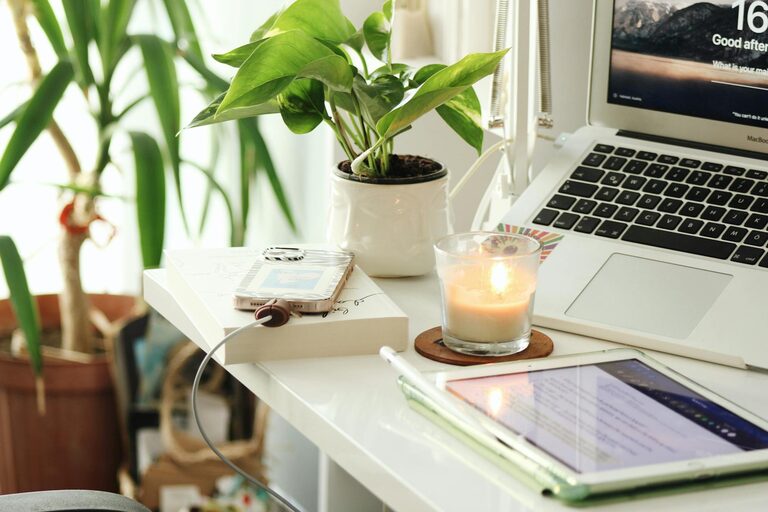

Creating a home workspace that feels both relaxing and productive can greatly improve your work-from-home experience. Whether you occasionally work from home or have a dedicated home office, the environment you create affects your mood, focus, and efficiency. In this post, we’ll explore practical tips to help you design a workspace that supports both relaxation and productivity.
Why a Comfortable Workspace Matters
Your workspace plays a key role in how you work and feel during the day. A cluttered or uncomfortable space can increase stress and reduce productivity. Conversely, a well-thought-out area encourages focus, creativity, and wellbeing. Balancing comfort with functionality ensures you can work efficiently without feeling overwhelmed.
Choose the Right Location
Consider Natural Light
Whenever possible, position your workspace near a window. Natural light boosts mood and energy levels, reducing eye strain compared to artificial lighting. If natural light isn’t an option, invest in good-quality lighting that mimics daylight.
Minimise Distractions
Select a quiet corner or a room with minimal foot traffic. Background noise or frequent interruptions can break concentration. If complete silence isn’t possible, consider noise-cancelling headphones or soft background music to help maintain focus.
Invest in Ergonomic Furniture
Desk Height and Size
Your desk should be the right height to keep your arms at a comfortable 90-degree angle while typing. It should also provide enough space for your computer, keyboard, mouse, and other essentials without feeling cramped.
Supportive Chair
A good chair supports your lower back and promotes good posture. Look for chairs with adjustable height and lumbar support. Sitting comfortably reduces fatigue and the risk of developing aches from prolonged sitting.
Keep It Organised and Clutter-Free
Declutter Regularly
A tidy workspace helps keep your mind clear. Remove unnecessary items and store supplies neatly in drawers or organisers. Use cable management tools to avoid tangled wires.
Use Storage Solutions
Shelves, filing cabinets or baskets can keep paperwork and accessories organised. Label containers to find things easily and maintain order in your workspace.
Personalise Your Space
Adding personal touches can make your workspace more inviting and reduce stress. Consider adding:
– Plants, which improve air quality and add a calming touch
– Inspirational artwork or photos
– A comfortable throw or cushion for your chair
Personalising helps create a positive environment that reflects your style.
Manage Technology Efficiently
Set Up Your Equipment Properly
Place monitors at eye level to prevent neck strain. Use a separate keyboard and mouse for laptops to achieve an ergonomic setup. Ensure that cables and chargers are organised and within easy reach.
Use Productivity Tools
Organise your digital workspace with apps for task lists, calendars, and time management. This supports efficient work habits and reduces the mental load of keeping track of things.
Incorporate Relaxation Elements
Take Regular Breaks
Incorporate short breaks into your routine to stretch, rest your eyes and reset your focus. Use a timer or apps to remind you when it’s time to pause.
Create a Relaxing Corner
If space allows, include a small area with a comfy chair or cushions where you can sit quietly or read. This helps remind you to unwind and disconnect from work briefly.
Maintain Good Air Quality and Temperature
Ensure your workspace is well ventilated and at a comfortable temperature. Fresh air improves concentration and reduces feelings of fatigue.
Establish Boundaries and Routines
Set clear start and finish times for your workday. Dressing in work-appropriate clothes and having a dedicated workspace helps your brain recognise when it’s time to focus and when to relax.
Final Thoughts
A relaxing and productive home workspace is all about balance. By paying attention to lighting, comfort, organisation, and personal touches, you can create an environment that supports both your wellbeing and work efficiency. Implement these tips gradually and adjust according to your needs to find the perfect balance for your home workspace.